Submit order request
How to submit an order request?
There are 2 ways to submit an order request.
These are explained below.
-
1View Catalogs
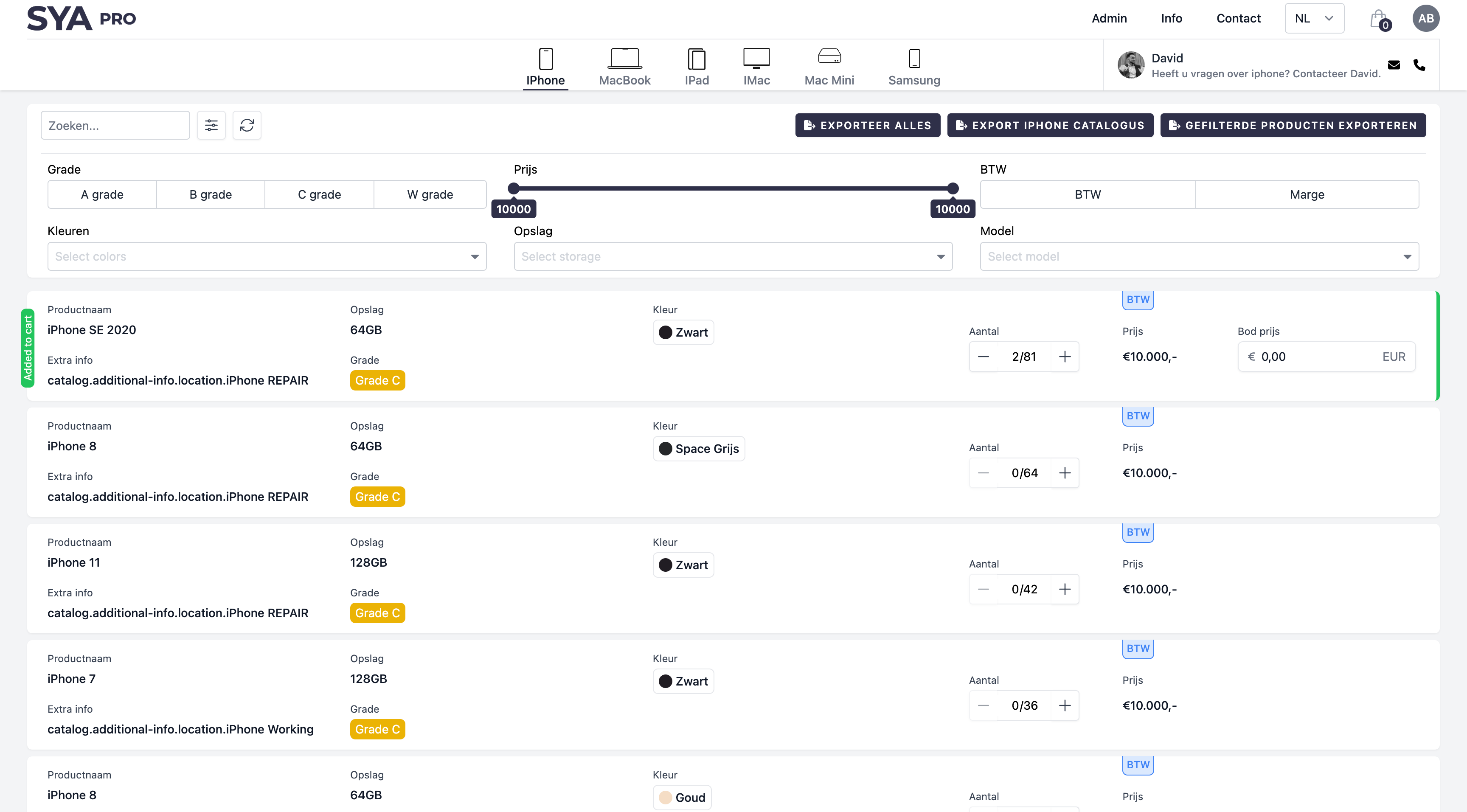
- After logging into our SYA PRO platform, you can browse our extensive product catalogs. Our catalogs are organized into convenient categories, and you can use filters to find exactly what you are looking for. You will see immediately how much stock is currently available for each product.
-
2Add Products to Cart
- Did you find something that meets your needs? In the product overview, you can easily fill in the quantity you want to request. These will then be automatically added to your cart. You can add as many products as you like. Your cart keeps everything neatly organized for you.
-
3Place a bid on a product
- Optionally, you can also place a bid on a product. Enter your bid and it will automatically update in your cart.
-
4Complete the request process
- Do you have everything you need? Go to your cart and click on "Submit request". Here you will get an overview of the request and your information. Double-check your request and click on "Confirm request" to confirm your request.
-
5Processing Order Request
- After submitting your order request, you will receive a confirmation email. Your request will be forwarded to our sales department. One of our sales representatives will contact you to discuss the details and process your order further. Do you want to view your order requests? Go to your profile and open the order requests overview. Here you will find all the details about your current and previous requests.
-
1View Catalogs
- After logging into our SYA PRO platform, you can browse our extensive product catalogs. Our catalogs are organized into convenient categories, and you can use filters to find exactly what you are looking for.
-
2Download Catalogs
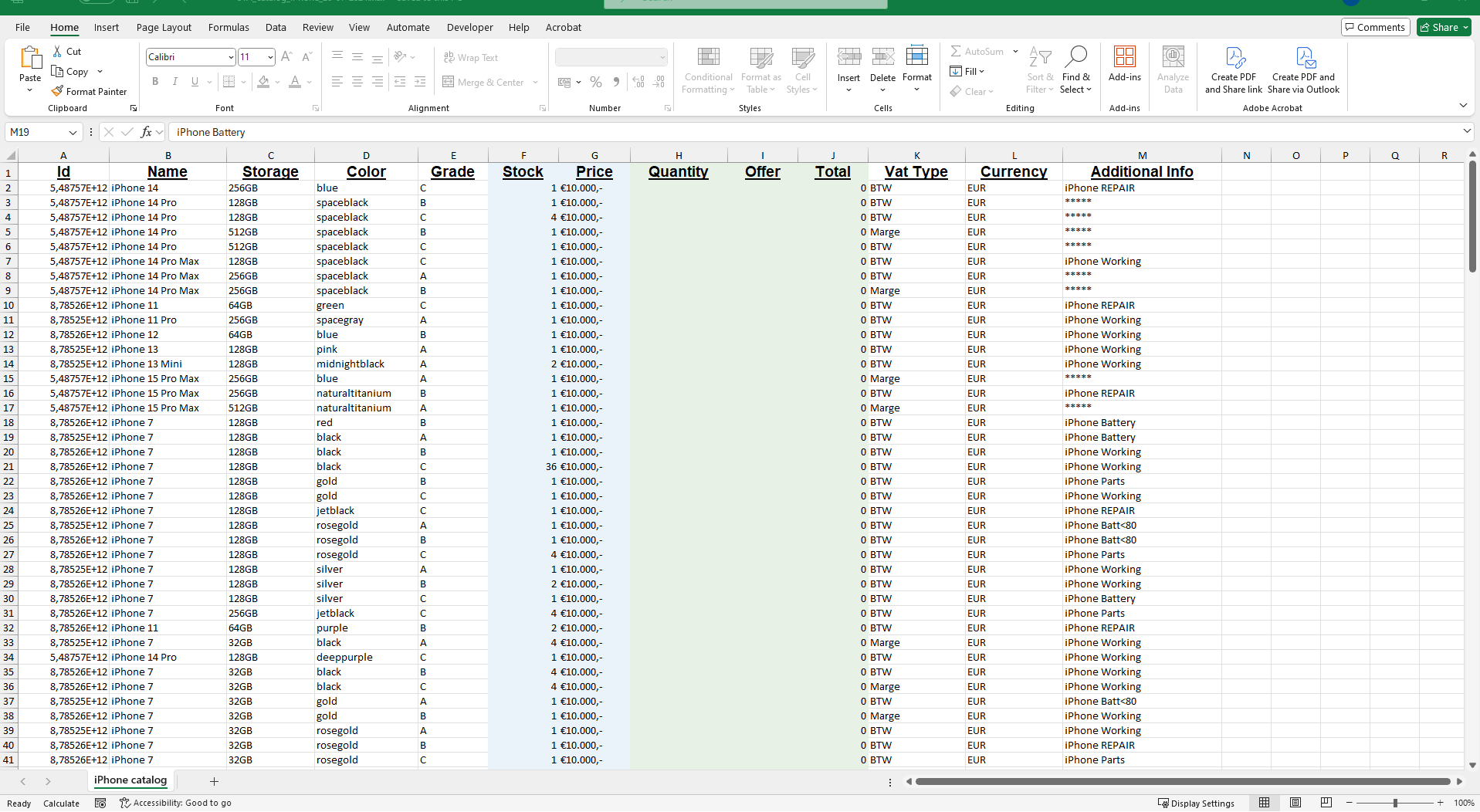
- Do you want an overview of our products? You can choose to download all products, export a specific catalog, or make an export of filtered products. In these Excel files, you will find detailed information about each product. This makes it easy to work offline and consider your choices.
-
3Select Products
- Did you download an export? Check the Excel file and select the products you want to order. Note the quantities you need. In the Excel file, you will also see our stock of each product.
-
4Place a Bid on a Product in Excel
- Optionally, you can also place a bid on a product. You can do this directly in the downloaded Excel files. Enter your bid amount for the relevant products and save the file. This allows you to manage your bids in an organized manner.
-
5Send Excel Files
- Have you filled out your Excel file with the desired products and any bids? Send this file to sales@sya.be. Our sales team will receive your request and contact you to discuss the details and process your request.
Submit request via the SYA PRO platform
How to submit a request on the SYA PRO platform

Submit request via mail
How to submit a request via mail